I have defined two calendars in Thunderbird, one of which is my Google calendar. When I attempt to synchronize Thunderbird with my K610i, it fails with the message "Loading entries from Thunderbird failed!".
Additional symptoms:
1) The events from the Google calendar are NOT visible in MPE.
2) If I configure MPE to synchronize ONLY the other, local calendar, it works OK.
3) The setting Interface Timeout determines how long it takes before the error message in MPE appears.
4) Even if I set that timeout to a very large time (for example, 10 minutes), it still fails (whereas it takes about 10 seconds to see my Google calendar in Thunderbird)
5) Usaing Thunderbird 2.0.0.23
Thanks for your support on this heaven-sent solution!
-J.
Synching Google Calendar Error
-
Josiah Carberry
- Beiträge: 10
- Registriert: Mo 1. Mär 2010, 08:44
-
Josiah Carberry
- Beiträge: 10
- Registriert: Mo 1. Mär 2010, 08:44
-
Josiah Carberry
- Beiträge: 10
- Registriert: Mo 1. Mär 2010, 08:44
I am not sure what you mean by the Java Console in TB. Here is what I have done:
- in the Java applet in the Control Panel, under Advanced->Java Console, I have set it to "Show Console".
- I have restarted TB
- I have given the command Tools->Error Console, which opened a window "Error Console", which appears to be a sort of log viewer, with the options All-Errors-Warnings-Messages-Clear
- I have run MPE again
- After it fails, I checked the Error console window, which contained no messages at all (I made sure that All was selected.
If this is not what you mean, please let me know what you mean by the TB Java Console.
Thanks,
J.
- in the Java applet in the Control Panel, under Advanced->Java Console, I have set it to "Show Console".
- I have restarted TB
- I have given the command Tools->Error Console, which opened a window "Error Console", which appears to be a sort of log viewer, with the options All-Errors-Warnings-Messages-Clear
- I have run MPE again
- After it fails, I checked the Error console window, which contained no messages at all (I made sure that All was selected.
If this is not what you mean, please let me know what you mean by the TB Java Console.
Thanks,
J.
Sorry - its called Error-Console.
And another question: If you set the Timeout to 120 seconds -> in this case you should get also the errormessage after 2 minutes. Is this the case ?
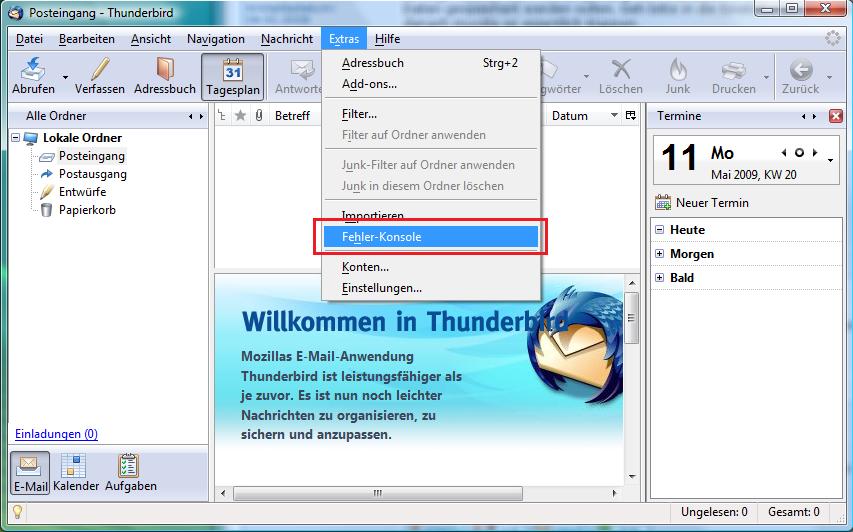
And another question: If you set the Timeout to 120 seconds -> in this case you should get also the errormessage after 2 minutes. Is this the case ?
-
Josiah Carberry
- Beiträge: 10
- Registriert: Mo 1. Mär 2010, 08:44
We are on the same wavelength - I see nothing in the Error Console, as stated in my previous message.
Regarding the timeout, you are exactly right. The amount of time it takes before I see the error message is equal to the timeout, whether it be 10 secs, 20 secs, or 600 secs.
The only other information I can give you is that I am using ver. 1.7.5 of MPE, running on a Vista platform.
Regards,
J.
Regarding the timeout, you are exactly right. The amount of time it takes before I see the error message is equal to the timeout, whether it be 10 secs, 20 secs, or 600 secs.
The only other information I can give you is that I am using ver. 1.7.5 of MPE, running on a Vista platform.
Regards,
J.
-
Josiah Carberry
- Beiträge: 10
- Registriert: Mo 1. Mär 2010, 08:44
-
Ericpey
Same issue with Windows 7 and mpr 1.7.6
I have exactly the same problem with mpe 1.7.6 not connecting thunderbird 3 for agenda sync with Google Agenda. It works for the local thunderbird agenda